
Visual collaboration transforms how teams work together – especially in remote or cross-functional setups. It uses tools like digital whiteboards, diagrams, and flowcharts to simplify complex ideas, improve alignment, and boost productivity. Here’s what you need to know:
- Why It Matters: 69% of workers say visuals are key for collaboration, and teams using these methods report faster task completion and better engagement.
- Challenges: Resistance to new tools, poor onboarding, and security concerns can slow adoption.
- Solutions: Clear goals, the right tools, and training make a big difference.
Key Takeaways:
- Use visual tools to bridge communication gaps and improve teamwork.
- Choose platforms that fit your team’s needs – Miro, Trello, and Microsoft Whiteboard are great options.
- Regular feedback and training ensure long-term success.
Visual collaboration isn’t just about tools; it’s about reshaping how teams communicate and create together.
Tutorial Miro 101 || A beginner guide to visual collaboration
Best Practices for Visual Collaboration
Effective visual collaboration isn’t just about picking the right tools – it’s about adopting practices that truly engage teams, simplify workflows, and deliver real results. These strategies can help organisations elevate communication in today’s distributed work setups. Let’s dive into some key approaches.
Set Clear Goals for Each Session
To make visual collaboration sessions productive, you need clear goals. Without them, meetings can quickly lose focus and frustrate participants. Goals act as a shared compass, guiding the team towards a specific outcome while fostering a sense of unity and purpose. Start by identifying communication gaps and aligning your objectives with your organisation’s broader mission.
Engaging the team early is essential. Use brainstorming sessions, surveys, or feedback loops to get everyone on board. A structured approach, like the SMART framework, can help keep goals actionable and focused. As Quire aptly states:
"A vague goal can derail a project before it even begins."
For instance, one team aimed to cut meeting times by 25% in Q3 by adopting structured agendas, while another focused on boosting participation by 40% over two months through active listening workshops. Tools like Gantt charts, Kanban boards, or timelines can visually map out milestones and track progress. In May 2025, a team successfully used a board view to break down large tasks into smaller, manageable steps with clear deadlines. Keeping these goals visible and scheduling regular check-ins ensures the team stays aligned and on track.
Once goals are in place, the next step is choosing the right tools to support them.
Pick the Right Tools for Your Team
Choosing a visual collaboration tool isn’t a one-size-fits-all process. It requires a thoughtful evaluation of your team’s specific needs. With 62% of employees working across multiple time zones, seamless collaboration is more important than ever. Yet, 37% of knowledge workers feel their organisation’s tools are underutilised. To avoid this, assess your workflows and identify pain points. Are you looking to spark creativity, improve coordination, or streamline reporting?
The ideal platform should offer robust features, support diverse use cases, and integrate smoothly with your current systems. For instance, SureSpace Community App provides a secure, community-focused digital space for creativity and meaningful collaboration – perfect for teams prioritising engagement.
Here are some key factors to consider:
| Feature | Key Considerations |
|---|---|
| Ease of Use | Intuitive interface, minimal onboarding, and drag-and-drop functionality |
| Security | Enterprise-grade encryption, role-based access controls, and compliance standards |
| Customisation | Flexible templates, tailored workspaces, and adaptable workflows |
| Mobile Access | Fully functional mobile apps for on-the-go collaboration |
| Pricing | Cost-effective plans that balance features and budget |
To ensure long-term adoption, involve your team in the selection process. Discovery workshops and hands-on testing can help identify the best fit for your needs. As Constellation Research points out:
"Allowing for these more complex use cases as well as more unstructured collaboration such as brainstorming to exist in the same platform helps organisations remove silos often found between departments, better enabling alignment on cross-functional initiatives."
With the right tools selected, the focus shifts to fostering real-time collaboration.
Enable Real-Time Collaboration
Real-time collaboration is a game changer. It enables immediate feedback, faster decision-making, and eliminates unnecessary delays. Studies show that collaborative environments can double task productivity. When leaders and project managers actively use these tools, it sets an example, encouraging broader team adoption.
Encourage balanced participation by leveraging features like sticky notes, emojis, and interactive polls, which allow everyone to contribute. Video can also create a stronger sense of connection, though it’s important to keep participation optional to respect individual preferences.
The benefits are clear in practice: Emerson’s Human-Centred Design Institute used MURAL to speed up documentation by as much as 80%. Setting clear objectives for each session and establishing communication norms from the start can further enhance the experience. As one industry expert noted:
"Visual collaboration tools for virtual meetings are reshaping employee engagement by making remote work interactive, inclusive, and productive."
Ultimately, fostering an environment where active listening and idea-sharing thrive is key to unlocking the full potential of real-time visual collaboration.
Visual Collaboration Tools and Methods
When it comes to streamlining teamwork across different disciplines, having the right visual collaboration tools and methods is key. These tools not only boost productivity but also make it easier for teams to work together effectively. Selecting the best tool depends on your goals and how you plan to use it.
Digital Whiteboards for Brainstorming
Digital whiteboards are a game-changer for brainstorming sessions. They provide an endless canvas, real-time collaboration, and pre-designed templates that make idea-sharing more efficient. Plus, they’re accessible from anywhere.
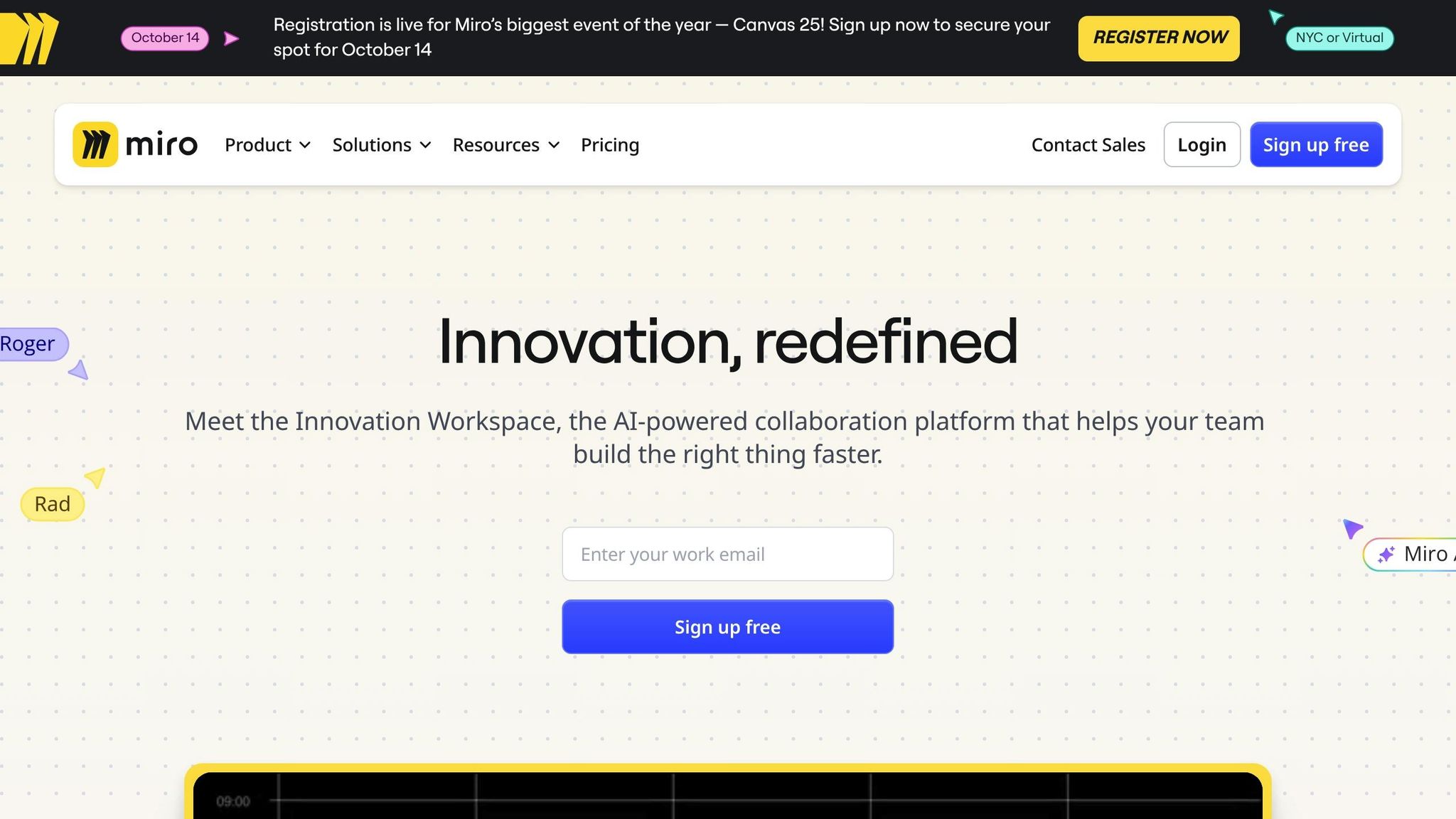
Take Miro, for example. With over 100 million users and 250,000 companies on board, it’s a leader in this space. It offers more than 300 templates and integrates seamlessly with tools like Jira, Slack, Zoom, and Google Drive. It even supports hundreds of users working together at the same time.
If your team is already using Microsoft products, Microsoft Whiteboard might be a better fit. It integrates with Teams and Office 365, comes with 60+ free templates, and is ideal for smaller groups or simpler brainstorming sessions. For design-heavy teams, FigJam stands out. Priced from AED 18+ per user monthly, it works perfectly with Figma and has user-friendly whiteboarding features.
To make the most of digital whiteboards, set clear goals for each session. Use tools like colour-coding or mind maps to organise ideas, and create a safe space where everyone feels comfortable contributing. Once the session wraps up, focus on identifying key themes to guide the next steps.
Kanban Boards for Project Management
Kanban boards are perfect for visualising workflows and keeping track of tasks. They break down work into cards that move through different stages, offering transparency and flexibility while ensuring a steady flow of tasks.
Teamhood is a standout in this category, earning a 4.9/5 rating on Capterra. Designed for Agile teams, it includes features like native time tracking and an easy-to-use interface – especially helpful since 57% of business leaders worry about team burnout.
For those looking for something simple yet effective, Trello is a go-to option. It offers a free tier and paid plans, along with automated processes through its Butler automation feature, making it accessible for teams of all sizes.
One of Kanban’s biggest strengths is its focus on limiting Work-in-Progress (WIP). By capping the number of tasks in each stage, teams can avoid bottlenecks and maintain smooth workflows. Unlike Scrum, which uses fixed sprints, Kanban allows for continuous delivery, with cycle time as the key metric. To get the best results, customise your workflow beyond the basic "To Do, In Progress, Done" columns and review the board regularly to ensure it aligns with your team’s evolving needs.
Flowcharts and Diagrams for Process Clarity
Flowcharts are another powerful tool, especially for simplifying complex processes. They help teams visualise workflows, identify inefficiencies, and ensure everyone is on the same page about project requirements.
Creately offers a wide range of diagramming options, from flowcharts to organisational charts and mind maps. It also supports real-time collaboration and starts at AED 18+ per user monthly.
For more advanced features, the Lucid Visual Collaboration Suite combines diagramming with whiteboard functionality. It’s highly rated on Capterra (4.6/5) and is ideal for cross-team projects, starting at AED 29+ per user monthly. If you’re looking for an all-in-one solution, ClickUp integrates flowcharting with project management tools. While it has a steeper learning curve, its task-linking and automation features make it a strong choice for connecting visual processes to actionable tasks.
To create effective flowcharts, start with clearly defined beginning and end points. Use standardised symbols and arrows to map out logical flows, and keep your text concise. These diagrams can help document processes, pinpoint inefficiencies, and align teams around specific tasks.
Choosing the right tools depends on what your team needs most – whether it’s brainstorming, managing workflows, or clarifying processes. The key is understanding the strengths of each tool and incorporating them thoughtfully into your workflows.
sbb-itb-a45ffa4
Cross-Disciplinary Team Collaboration
Bringing together people from different fields often comes with its own set of challenges. Engineers focus on technical details, designers prioritise user experiences, and marketers concentrate on customer journeys. These varied perspectives can sometimes clash, but visual collaboration serves as a powerful tool to bridge the gap, aligning teams and fostering better communication.
Research shows that nearly half of employees – and an even higher percentage (60%) of Millennials and Gen Z – prefer visual collaboration. This preference has been linked to teams performing five times better, improving job satisfaction by 30%, and reducing burnout by over 20%.
"With team members coming from different backgrounds, with different vocabularies, perspectives, and working methods, it can be hard to align everyone towards a common goal." – Laura Dantonio
Use Digital Platforms for Team Collaboration
The right digital platform can revolutionise how cross-disciplinary teams work. For example, the SureSpace Community App creates a distraction-free environment that encourages intentional collaboration.
When choosing a platform, look for one that supports both real-time and asynchronous collaboration. This flexibility ensures that team members across different time zones or with varying work styles can contribute effectively – some during live sessions, others after thoughtful reflection.
An ideal platform integrates with your existing systems, connecting workflows without creating silos. Cloud-based tools are particularly effective, enabling team members to access and update shared visual assets from anywhere – whether your designer is in Dubai, your developer in Abu Dhabi, or your manager in Sharjah. This centralised access creates a "single source of truth", breaking down barriers and simplifying onboarding by providing all the necessary context in one place.
"Visual collaboration clarifies complex concepts (like technical systems or processes) in ways that text or just talking through something can’t." – Lucid
To further streamline cross-disciplinary work, structured templates can bring consistency and clarity to team efforts.
Apply Templates for Structure and Consistency
Templates can significantly reduce the effort of starting projects from scratch, offering a clear framework for team collaboration. Whether you’re planning a strategy session, hosting a project meeting, or running a brainstorming workshop, templates provide a shared foundation for every participant.
Customised templates tailored to recurring workflows – like project kick-offs, retrospectives, or decision-making sessions – ensure that every discipline’s priorities are addressed while keeping the team aligned. For example, mind map templates encourage non-linear thinking, helping teams explore connections between ideas, while Kanban boards visually track workflows across departments, making it easy to see how tasks move between disciplines.
Build Visual Team Routines
Once templates establish a solid foundation, regular visual routines help maintain alignment. These practices go beyond traditional meetings by incorporating consistent visual updates that keep everyone on the same page about progress and challenges.
Visual standups are particularly effective for diverse teams. Instead of relying solely on verbal updates, team members contribute to a shared visual board displaying progress, blockers, and next steps. For instance, a designer might showcase wireframe drafts, a developer could present a working prototype, and a product manager might share market feedback – all within one visual space.
Retrospectives become more engaging and inclusive when approached visually. The Sailboat retrospective technique, for example, uses the imagery of a boat heading toward an island (the goal), avoiding rocks (obstacles), and catching wind (what’s helping). This metaphor encourages contributions from all team members, even those who may not feel comfortable speaking up in traditional discussions.
Weekly visual check-ins – such as icebreakers, priority mapping, or collaborative goal-setting – can also help build team cohesion, particularly for distributed teams. The key is to make these routines predictable and purposeful, ensuring they add value rather than becoming just another meeting.
"Cross-disciplinary collaboration is a cornerstone of innovation strategy. It enhances creativity, problem-solving capabilities, and the overall effectiveness of the development process for technologies." – Robert Davis
Another effective tool is the visual team charter, a collaborative document where the team collectively decides on communication preferences, decision-making processes, and conflict resolution strategies. Revisiting this charter regularly ensures it evolves with the team’s needs and strengthens collaboration.
The best cross-disciplinary teams use visual routines to track the journey of ideas – from brainstorming to implementation. This transparency not only clarifies decision-making but also helps new members quickly understand the reasoning behind current approaches. Start with a weekly visual standup and expand as the team becomes more comfortable with these methods.
Improving Visual Collaboration Over Time
Visual collaboration isn’t a one-and-done deal – it requires ongoing effort to adapt to shifting needs and make the most of new opportunities. Research highlights that organisations responding to feedback within 48 hours see a 50% boost in employee engagement compared to those that take longer.
The secret to success lies in having a structured approach: gather insights, make changes, and track the outcomes. Teams that hold weekly check-ins report a 25% improvement in communication and collaboration, while structured meetings can cut meeting time by half and still increase productivity. Below, you’ll find practical steps to train teams, gather feedback, and measure results for continuous improvement.
Train Teams on Tools and Techniques
Training is the backbone of effective visual collaboration. Over 50% of remote workers feel unprepared for new technologies, which highlights the importance of targeted training. Organisations offering solid training on software see a 28% rise in productivity. The best results come from mixing methods – interactive workshops combined with peer-to-peer learning can increase engagement by 22%.
Start with role-specific training sessions that focus on the tools team members will use most often. Avoid overwhelming them with every feature; instead, prioritise daily-use functionalities. Small user groups can be especially effective, where experienced team members mentor newcomers. This approach not only speeds up learning but also strengthens team bonds.
"In my current role at Microsoft, I don’t have the luxury of working with people face-to-face, so we do a lot of joint visualisations on digital whiteboards while connecting team members from all parts of the world. Visual collaboration provided an extremely helpful method for clarifying goals, working out joint plans and shared responsibilities, and avoiding cultural or language barriers in our teams." – Olga Svyrydenko, Business Strategy Lead, Global Training Partner Program, Microsoft
An accessible resource library with guides, video tutorials, and templates is invaluable – 60% of employees prefer clear, specific guidance. Keep generational preferences in mind too; Millennials and Gen Z often favour real-time feedback and interactive learning, while older employees may lean towards more structured approaches.
Collect Feedback for Better Results
Systematic feedback collection can elevate visual collaboration from good to great. Structured feedback sessions lead to 20% more actionable insights. Using anonymous feedback channels can encourage honesty, resulting in up to 40% more candid responses. Organisations leveraging multiple feedback methods see a 30% increase in employee engagement.
Set up regular feedback sessions with clear goals. Use templates to focus on key areas like tool effectiveness, process clarity, and collaboration outcomes. Leaders have found that providing clear guidelines improves the quality of feedback by 92%. Scheduled feedback intervals – bi-weekly or monthly – generate a 30% higher response rate compared to ad-hoc requests. Encourage specific feedback using phrases like "I noticed…" or "I suggest…" – specificity makes feedback 40% more impactful.
Transparency is crucial. When teams see their suggestions lead to real changes, engagement increases by 20%, and the likelihood of implementation rises by 45%. After collecting feedback, track the outcomes to ensure progress and maintain momentum.
Track Visual Collaboration Results
To measure success, you need a mix of hard numbers and qualitative insights. Focus on both leading indicators (like activity levels) and lagging ones (like time savings or cost reductions).
Choose metrics that align with business goals, such as meeting efficiency, time savings, and project completion rates. For example, a major insurance provider improved meeting efficiency by increasing asynchronous activities, while a finance software company saved 10 hours per roadmapping session by replacing meetings with asynchronous collaboration.
| Metric Category | Key Measurements | Target Range |
|---|---|---|
| Efficiency | Process cycle time | 30–90 days |
| Engagement | Meeting participation rate | Above 90% |
| Quality | First-pass approval rate | Track improvements over time |
| Communication | Response time to queries | Under 30 minutes for decisions |
A global insurance company saved over AED 5.1 million annually by switching from in-person planning sessions to hybrid collaboration, reducing travel four times per year. Similarly, a customer experience team at a multinational auto manufacturer became 50 times more efficient by using visual tools to streamline interview data collection.
Combine these metrics with qualitative feedback for a complete view of your progress. Regular pulse surveys can help capture team sentiment and identify areas for improvement. Revisiting metrics quarterly ensures alignment with business goals – companies that reassess processes routinely see a 15% boost in effectiveness.
Platforms like the SureSpace Community App offer integrated features for visual collaboration, including real-time feedback tools and training resources, empowering teams to refine their practices and achieve better results.
Key Takeaways
Visual collaboration simplifies workflows and removes barriers, making teamwork more efficient. Research shows that employees in collaborative environments are nearly twice as productive, while organisations with diverse teams see a 25% increase in profitability. These methods directly influence financial performance in measurable ways.
Summary of Best Practices
Start with clear goals. Whether you’re brainstorming, mapping out processes, or planning projects, defining expected outcomes ensures everyone stays aligned and productive.
Opt for platforms that are easy to use, integrate smoothly with your current systems, and enable real-time collaboration. A shared digital workspace that everyone can access is essential.
Templates for tools like mind maps, Kanban boards, and flowcharts can save time while keeping things consistent. Combine real-time and asynchronous collaboration to accommodate different time zones and work schedules. Interestingly, 83% of people prefer learning through video compared to text or audio.
Cross-functional teamwork helps break down silos between departments, sparking new ideas. In fact, organisations with strong collaboration see a 41% boost in customer satisfaction and a 27% increase in sales revenue.
By applying these practices, you can set your team up for success at every level.
Final Tips for Team Success
Strong leadership and continuous improvement are key to embedding these principles. Leaders should model visual collaboration techniques and refine them based on team feedback.
Offer thorough onboarding resources and ongoing training. This should focus not only on mastering the tools but also on improving communication and teamwork skills.
"Every single day, we are all telling visual stories, whether we’re making videos, or websites, or slide decks. We have to learn how to think visually." – Buddy Scalera, Founder of Comic Book School
Schedule 30-45 minute interactive sessions that include polls and breakout discussions. Breakout rooms allow for smaller, focused conversations, and while encouraging camera use can help, it’s also important to respect individual preferences.
Use one visual workspace as the main hub for project updates. Establish clear naming conventions for files and folders to keep everything organised and accessible.
The SureSpace Community App is a great example of a platform designed for visual collaboration. It supports real conversations, fosters community engagement, and minimises distractions, helping teams stay on track.
Visual collaboration is more than just adopting new tools – it’s about transforming how teams think, communicate, and create together. With 95% of professionals agreeing that centralised visual collaboration significantly impacts business results, the real question is: how soon can you make it happen?
FAQs
What are effective strategies for helping teams adopt new visual collaboration tools?
To introduce teams to new visual collaboration tools effectively, it’s crucial to start by explaining the benefits in clear terms. These tools can boost creativity and make workflows more efficient. Bringing key stakeholders into the discussion early on helps build trust and ensures their feedback is considered.
Make sure to offer thorough training and consistent support to ease the learning curve. Sharing examples of success stories or showcasing measurable results can build confidence and address any hesitation. Creating an environment where collaboration thrives will naturally encourage team members to explore and embrace these tools with less resistance.
What should you consider when choosing a visual collaboration tool for a diverse team?
When choosing a visual collaboration tool for a team with diverse skills and disciplines, it’s important to focus on what the team truly needs. Consider factors like their workflows, the types of projects they handle, and their overall collaboration goals. The ideal platform should support real-time communication, be user-friendly, and easily scale as the team grows or projects evolve.
It’s also worth selecting tools that promote teamwork through intuitive interfaces while ensuring secure and flexible workflows. A strong platform should accommodate various use cases, allowing it to meet the unique demands of a multidisciplinary team. By keeping these aspects in mind, you can build a collaborative space that boosts both creativity and efficiency.
How can organisations evaluate the success of visual collaboration and improve over time?
Organisations can measure the impact of visual collaboration by focusing on critical areas like team productivity, clarity in communication, and employee engagement. Tools like regular surveys and performance reviews can offer insightful data on how effectively these efforts are working.
For ongoing progress, it’s important to establish clear objectives, use iterative approaches such as the Plan-Do-Check-Act (PDCA) cycle, and create an environment where team members feel comfortable sharing feedback. By nurturing a collaborative mindset and continuously refining processes, teams can steadily improve and deliver stronger outcomes.

