Virtual spaces are transforming how experts from different fields solve complex problems. By connecting professionals like architects, engineers, and data scientists, these spaces break down barriers and create opportunities for collaboration. However, challenges such as communication gaps, time zone differences, and technical limitations often hinder progress.
The solution? Thoughtfully designed virtual environments that prioritize accessibility, clear communication, and flexible participation. Here’s what this means in practice:
- Accessibility: Tools and settings that accommodate diverse abilities, languages, and technical skills.
- Local Relevance: Adapting to UAE-specific needs, such as respecting local customs and multilingual interfaces.
- Flexibility: Balancing structured workflows with the freedom to work across time zones and schedules.
- Key Tools: Platforms like Microsoft Teams and SureSpace streamline communication, project management, and content sharing.
Virtual Spaces & the Future of Collaboration | The Pulse | Unreal Engine
Core Principles of Designing Virtual Spaces
Creating effective virtual spaces involves tailoring them to support diverse teams, accommodate various work styles, and respect cultural differences. Here’s how to make virtual collaboration spaces work seamlessly.
Building Accessible and Inclusive Spaces
Accessibility is the cornerstone of successful virtual collaboration. Teams often include individuals with varying abilities, technical skills, and comfort levels with digital tools. To create a space that feels welcoming to everyone, consider these steps:
Before meetings, collect attendees’ technical requirements and share materials like slides, notes, and links in advance. This gives participants time to review at their own pace.
During sessions, use multiple communication channels to ensure inclusivity. For instance, highlight key points in the chat while providing verbal descriptions for visual content. Enable auto-captioning by default and encourage video use to support lip-reading.
"Effective Communication is a required element of the ADA as well, which means that any forms of communication (printed or digital documents, advertising, and virtual meetings) must be equally effective for people with and without disabilities. In the end, while there are several reasons why you HAVE to, the simple fact is that you should be making meetings accessible because it’s the right thing to do."
Technical elements matter, too. Use bold, larger text with high contrast for low-vision participants, and avoid distracting visuals or background noise. Share keyboard shortcuts and ensure tools are keyboard-navigable. Automated accessibility tools can help, but having a human expert review materials can catch subtleties machines might miss.
Recording sessions and providing captioned recordings and transcripts afterward is another vital step. This not only aids those unable to attend live but also supports different learning styles while building a reference library for future use.
Accessibility goes hand-in-hand with adapting to local customs and operational practices.
Adapting Virtual Spaces for UAE Users
The UAE’s multicultural environment requires virtual spaces that respect local customs while serving an international workforce. With over 200 nationalities represented, balancing traditional practices with global accessibility is essential.
Respecting local customs is crucial. For example, accommodate prayer times in meeting schedules and consider local holidays like Ramadan and Eid. During Ramadan, adjusting meeting times to align with altered routines – such as scheduling sessions after Iftar – can ensure inclusivity.
Localisation is about more than just translation. Use the metric system for measurements, display currency in AED (e.g., AED 1,500.50), and format dates as DD/MM/YYYY (e.g., 05/08/2025). Adopt the 24-hour clock (e.g., 14:30) and follow local conventions for numbers, using commas for thousand separators (e.g., 1,500,000) and full stops for decimals.
The introduction of the Dubai Remote Work Visa in 2020 has made the UAE a hub for international professionals working remotely for global employers. This initiative aligns with the country’s vision to attract skilled talent and diversify the economy, fostering virtual collaboration between local and international teams.
Cultural sensitivity is equally important. Communication styles and hierarchy expectations vary widely. Research shows that 54% of Emirati professionals believe foreign colleagues should adopt certain local traditions. Virtual platforms should cater to these preferences by offering tools for both informal direct messaging and more formal meeting structures.
Majid Al Futtaim, a major UAE company, has embraced flexible working hours, letting employees choose schedules that suit them. This approach has led to higher job satisfaction and retention, showcasing how UAE organisations can blend local needs with global standards.
Language considerations are critical in a multilingual setting. Many teams prefer visual tools like project boards over text-heavy emails. Ensuring interfaces are available in both Arabic and English, with proper right-to-left text rendering for Arabic, supports effective communication.
Creating Structure with Flexibility
Once accessibility and local relevance are ensured, the next step is balancing structure with flexibility. Virtual spaces thrive when they offer clear frameworks while accommodating varied work styles and schedules.
Clear communication frameworks are essential for avoiding confusion. Assign specific tools to specific tasks – for instance, instant messaging for quick updates, video calls for detailed discussions, and project boards for tracking progress. This clarity allows teams to engage more effectively.
"Managing a virtual team requires managers to double down on the fundamentals of good management, including establishing clear goals, running great meetings, communicating clearly, and leveraging team members’ individual and collective strengths."
- Julie Wilson, Founder, Institute for Future Learning and Instructor at Harvard University
Documentation is your safety net. Record workflows, roles, and processes in an easily accessible format. With 34% of remote workers citing transparency from leadership as a key factor in feeling connected, well-organised documentation not only brings structure but also fosters engagement.
Flexible participation options are necessary to accommodate different work styles. While some team members excel in real-time brainstorming, others prefer asynchronous collaboration for deeper reflection. Offering virtual office hours for spontaneous discussions alongside forums for delayed input can cater to these preferences.
Data supports this approach: employees in hybrid environments are 3.8 times more likely to perform at higher levels. Interestingly, 69% of high-autonomy workers still prefer a consistent workspace, even without a permanent office, highlighting the need for some level of consistency in flexible settings.
Results-oriented flexibility works well for cross-disciplinary teams. A results-oriented work environment (ROWE) evaluates team members based on outcomes rather than hours worked. This approach respects individual rhythms – such as a designer thriving in the evening while a data analyst prefers early mornings.
Lastly, incorporating regular breaks and "digital detox" periods helps prevent burnout. With 20% of remote workers reporting increased loneliness and another 20% finding collaboration challenging, fostering informal connections isn’t just a bonus – it’s essential for a sustainable work environment.
Key Tools and Features for Cross-Disciplinary Collaboration
Bringing together diverse teams from different disciplines requires more than just good intentions – it demands the right digital tools. These tools are the backbone of effective collaboration, helping teams share ideas, manage projects, and stay connected across time zones and cultural differences.
Must-Have Collaboration Tools
Communication platforms are the foundation of virtual teamwork. Microsoft Teams stands out as a go-to solution, combining chat, video conferencing, file sharing, and app integration into one cohesive platform. Its popularity stems from its ability to centralise team interactions, eliminating the need to jump between multiple apps.
Video conferencing is a non-negotiable for cross-disciplinary teams. Visual communication, especially with features like screen sharing and real-time annotations, helps bridge knowledge gaps between fields, making complex ideas easier to grasp.
Document collaboration tools are essential when multiple disciplines contribute to a single project. Platforms like Microsoft Office 365 and Google Suite offer real-time editing and version control, ensuring everyone stays on the same page. The choice often depends on what the organisation already uses and the specific needs of the team.
Project management platforms simplify the coordination of complex, multi-disciplinary projects. These tools provide clarity on tasks, deadlines, and how different workstreams connect. Visual project boards, for instance, turn abstract plans into actionable, trackable steps that everyone can follow.
Visual brainstorming tools cater to creative collaboration. When designers, engineers, and product managers need to ideate together, traditional text-based tools often fall short. Digital whiteboards and mind-mapping applications allow teams to think visually, building on each other’s ideas in real time.
It’s important to strike the right balance – too many tools can overwhelm, while too few might limit creativity and efficiency. Beyond communication, seamless content sharing is equally critical for successful collaboration.
Content Sharing and Community Features
Centralised repositories are key to ensuring that knowledge is accessible to everyone. Whether it’s a research scientist sharing findings for product development or a customer service rep highlighting trends for design improvements, having a shared space for this information is invaluable.
Threaded discussions help maintain context during conversations. For teams with members from different disciplines, this feature keeps discussions organised and reduces the noise.
Curated feeds ensure everyone stays informed. With team members following different industry trends, a shared feed allows for cross-pollination of ideas and provides access to relevant external insights.
Knowledge bases and content tagging create an institutional memory for projects. By documenting decisions and the reasoning behind them, future collaborators can quickly understand past choices. Consistent tagging and robust search capabilities ensure that, for example, a marketing team member can easily find technical specs, while an engineer can locate user research data.
The best content-sharing systems strike a balance between being organised and user-friendly, making it easy to find and contribute information without overwhelming the team.
How SureSpace Community App Supports Collaboration
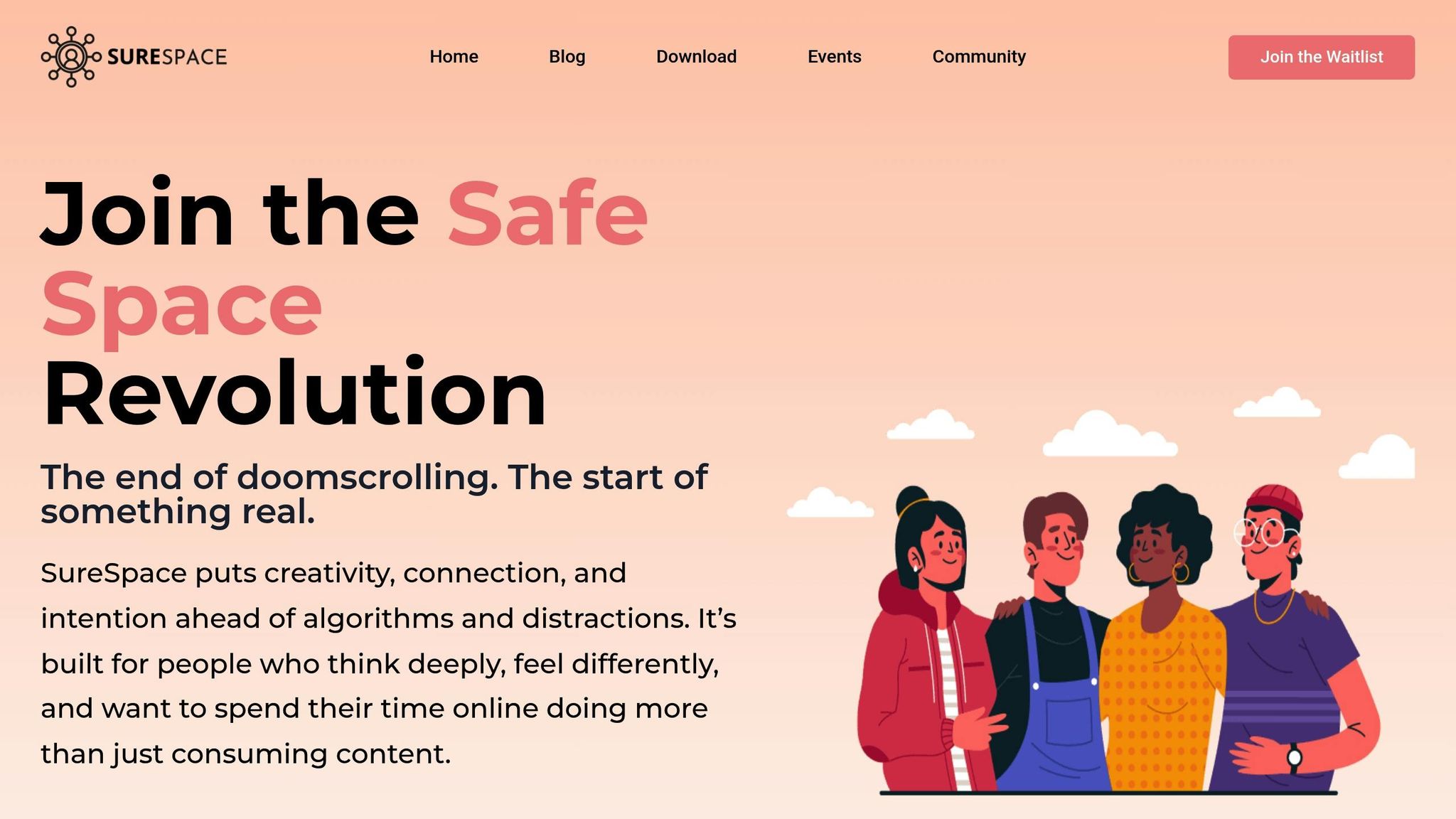
The SureSpace Community App has been purpose-built to tackle the challenges of virtual, cross-disciplinary collaboration. Its design puts community and focus at the forefront, addressing issues like fragmented communication and siloed information.
One standout feature is its ability to reduce distractions, helping teams maintain focus during collaborative sessions. This is especially crucial when professionals with different communication styles and work habits come together.
The app’s real conversations feature enables in-depth discussions across disciplines. This is vital when, for instance, a data scientist needs to explain an algorithm’s impact to a business strategist or when a UX designer communicates user needs to a technical team.
SureSpace also strengthens team relationships through its community engagement tools. Building connections on both a professional and personal level encourages openness, leading to better sharing of challenges and ideas.
When it comes to content sharing, SureSpace provides a structured environment for exchanging documents, images, and other materials. Unlike email, where attachments can get buried, or messaging apps, where files disappear into chat history, SureSpace keeps everything organised and easily accessible for ongoing projects.
The app’s curated news feeds help teams stay informed about developments that could influence their work. By centralising relevant articles, research, and updates, every team member has the resources they need to contribute effectively.
For teams navigating the UAE’s multicultural work environment, SureSpace’s emphasis on authentic and focused online experiences aligns with the region’s diverse professional landscape. Its thoughtful design ensures that teams can collaborate effectively while respecting cultural sensitivities and avoiding information overload.
sbb-itb-a45ffa4
Methods to Drive Engagement and Innovation
Once virtual spaces and tools are in place, the focus shifts to keeping teams engaged and encouraging fresh ideas. This is especially important when dealing with cross-disciplinary teams spread across different time zones. With only 31% of employees feeling engaged at work, it’s clear that fostering meaningful collaboration requires effort. By building on a strong foundation of technology and design, the following approaches can help teams stay connected and inspired.
Organised Collaborative Activities
Structured activities can bring teams together and inspire creativity. Take "visioning jams", for example – hour-long sessions where teams brainstorm solutions to fun challenges or small work-related problems. These sessions encourage engineers, marketers, designers, and others to approach problems from different angles, sparking unique ideas.
In the UAE, where workplaces are often rich in diversity, cultural exchange sessions can be a great addition. These brief gatherings allow team members to share traditions and perspectives, enhancing mutual understanding. Weekly spotlight sessions, where one team member is featured and asked fun or meaningful questions, can also strengthen connections across disciplines.
Another idea is learning circles. Teams can pick a short book, article, or podcast to discuss each month, keeping everyone informed about trends that impact multiple fields. Combining professional growth with personal interaction creates an environment where innovation thrives.
Mixing Real-Time and Flexible Participation
For teams working across time zones, especially UAE-based organisations with global partners, balancing real-time and flexible participation is crucial. Clear communication and adaptability are key to ensuring everyone can contribute effectively.
One way to address time zone challenges is by rotating meeting schedules. For instance, a team with members in Dubai, London, and New York could alternate meeting times monthly, spreading the inconvenience evenly. Asynchronous tools like digital whiteboards allow team members to add ideas at their convenience, leading to more thoughtful contributions compared to live brainstorming sessions. Recording meetings and sharing detailed summaries also ensures no one misses out, even if they can’t join in real time.
Flexible work policies can further encourage participation by recognising individual productivity patterns and commitments. Marking standard work hours on a shared calendar and using status updates to indicate availability helps set expectations. Tools like time zone converters can simplify scheduling and ensure respect for local holidays and observances, which is especially relevant in the UAE.
Ensuring Equal Participation
While flexible schedules encourage input, deliberate steps are needed to ensure all voices are heard, especially in cross-disciplinary teams. Power dynamics can sometimes overshadow contributions from less dominant fields. Structured methods can help level the playing field.
Using anonymous input tools or brainwriting – where participants write down ideas before sharing – can significantly boost idea generation, with studies showing a 42% increase compared to traditional verbal brainstorming. This method reduces pressure on junior team members who might be hesitant to speak up.
Rotating leadership roles is another effective strategy. Assign roles like facilitator, note taker, or timekeeper to different team members each session. For instance, a marketing coordinator could lead a technical meeting, or a junior developer might facilitate a strategy discussion, breaking traditional hierarchies.
Providing meeting materials in advance gives quieter participants, including non-native English speakers or those from reflective cultures, more time to prepare thoughtful contributions. Bias awareness training can also address unconscious preferences. As Amy Bonomi from Michigan State University explains:
"Unconscious bias can intersect with language, symbolism and nonverbal cues that reinforce normative social identities with respect to gender, race, sexual preference and socioeconomic status".
Finally, breaking larger teams into smaller, mixed-discipline groups before reconvening can surface a wider range of perspectives. The goal isn’t just equal speaking time – it’s about integrating the unique strengths of each discipline into the team’s overall approach, laying the groundwork for fresh ideas and solutions.
Running Virtual Workshops for Cross-Disciplinary Teams
Virtual workshops bring together diverse experts to tackle complex challenges. When teams include professionals from various fields – engineering, marketing, design, finance, and more – the structured nature of these sessions becomes essential. They help bridge knowledge gaps while fostering collaboration and creativity. By creating clear and engaging virtual spaces, these workshops can become a powerful tool for uniting cross-disciplinary teams.
Planning and Setting Goals
The foundation of a successful virtual workshop lies in clear objectives and thorough preparation. Start by defining what success looks like and identifying key participants. As Laia Quintana, Head of Marketing and Sales at TeamUp, puts it:
"A detailed project plan should clearly define roles and responsibilities, set achievable deadlines, and include a strategy for managing risks. This helps everyone know what they need to do and when, making it easier to stay on track and avoid issues. A solid plan keeps everyone accountable and engaged, making the collaboration much smoother." – Laia Quintana, Head of Marketing and Sales at TeamUp [16]
To ensure focus, include clear goals and a brief agenda in your invitations. This is particularly important in the UAE, where diverse cultural expectations can influence communication styles and preparation.
Minimise technical hiccups by preparing digital workspaces ahead of time and testing tools like screen sharing and breakout rooms with a small group 24 hours before the workshop. Set ground rules for camera use, muting, and signalling contributions to accommodate different communication preferences. For example, engineers might lean towards detailed technical discussions, while marketers may focus on broader strategies.
Choosing the Right Workshop Format
Once your goals are clear, choose a workshop format that plays to your team’s strengths. Design sprints, for instance, can condense months of work into a few days by harnessing diverse perspectives to solve problems quickly. For early-stage projects, brainstorming workshops are ideal. Starting with silent, individual idea generation before group discussions can help quieter team members share their thoughts.
Collaborative prototyping sessions work well when tangible outcomes are needed. These sessions combine strategic thinking with hands-on creation, allowing team members to contribute their unique expertise – whether it’s refining user experience, addressing technical challenges, or enhancing visual designs.
For UAE-based teams working across time zones, hybrid formats can be particularly effective. Begin with a live kickoff session to align everyone, followed by individual work periods, and conclude with a collaborative wrap-up. Smaller groups of 4–8 participants often encourage deeper discussions, while larger groups may benefit from breakout sessions for more focused collaboration.
Managing Participation and Results
Keeping participants engaged in virtual workshops requires active facilitation and varied interaction methods. Start with introductions where team members share their roles and expertise – this helps bridge gaps between disciplines.
Incorporate interactive elements to maintain energy levels. Use live polls for quick decisions, mind mapping to visualise complex ideas, and gamification features like dynamic challenges or ranking tables to keep things lively. These approaches can be especially effective with multicultural teams.
Stick to a time-boxed agenda to stay on track but remain flexible enough to explore valuable discussions. Give participants advance notice for presentations to ensure they’re well-prepared – this can be particularly helpful for non-native English speakers.
After the workshop, capture the outcomes while the session is still fresh. Send detailed summaries within 24 hours, outlining action items, assigned responsibilities, and next steps. Encourage follow-up questions and invite additional insights that may arise later. Anonymous feedback can also help identify areas for improvement, such as technical issues or format adjustments, ensuring future workshops are even more effective.
Tools like the SureSpace Community App, which prioritises focused interactions and minimises distractions, can play a key role in hosting productive workshops that genuinely encourage cross-disciplinary collaboration.
Key Takeaways and Next Steps
To create effective virtual spaces, it’s crucial to establish clear goals and ensure workflows are both accessible and well-structured. The best virtual collaboration spaces strike a balance between consistent functionality and moments of creativity.
As Don Norman and Eli Spencer point out:
"In the traditional design approaches, ‘experts’ [designers] study, design, and implement solutions for the people…. Instead, we propose that we leverage the creativity within communities … to solve their own problems: This is community-driven design, takes full advantage of the fact that it is the people in communities who best understand their problems and the impediments and affordances that impede and support change."
A key takeaway is that inclusivity and adaptability are essential. Virtual spaces should foster trust and psychological safety by establishing clear norms and equipping teams to handle conflicts. This is especially important in the UAE, where multicultural teams bring diverse communication styles and expectations to the table.
Platforms should prioritise intuitive navigation and limit onboarding challenges. Features like version control and intellectual property safeguards are vital, particularly in professional settings involving multiple disciplines. Consistent engagement – through face-to-face meetings, live events, and an ongoing online presence – helps maintain momentum.
For organisations looking to put these principles into action, the SureSpace Community App offers tools designed to encourage focused, distraction-free collaboration. By starting with pilot tests and refining based on feedback, teams can build virtual spaces that drive innovation, strengthen collaboration, and ensure project success. Thoughtful design is the foundation for meaningful progress.
FAQs
How can virtual spaces be designed to support diverse work styles and cultural differences in a multicultural setting like the UAE?
In a multicultural setting like the UAE, creating virtual spaces that embrace diverse work styles and respect cultural differences is key. These spaces should be designed with flexibility in mind, allowing individuals to personalise their environments to reflect their preferences and cultural backgrounds.
Given the UAE’s unique demographic, where expatriates form a large part of the population, virtual spaces should promote open communication and respect for various cultural norms. Tools that accommodate different collaboration styles – such as multilingual interfaces, scheduling options that account for multiple time zones, and culturally mindful engagement features – can help build stronger connections and foster teamwork.
When these elements are prioritised, virtual spaces can evolve into inclusive environments where collaboration thrives, and every participant feels appreciated and empowered to share their ideas.
How can cross-disciplinary teams collaborate effectively across different time zones?
To keep cross-disciplinary teams functioning smoothly across different time zones, asynchronous communication is key. Tools like email, messaging apps, and project management platforms make it easier for everyone to contribute on their own schedules without feeling rushed.
When meetings are necessary, aim to schedule them during hours that suit the majority. Having a clear view of each team member’s time zone can help you avoid conflicts and create a more inclusive environment.
Equally important is building a culture of flexibility and mutual respect. By encouraging open communication, setting clear expectations, and being mindful of personal work-life boundaries, teams can stay connected and productive, no matter where they are in the world.
What key features and tools should a virtual space have to foster collaboration and innovation across different disciplines?
To build a virtual space that brings people together from different fields, having real-time communication tools like chat and video calls is a must. These tools make it easy for everyone to share ideas and actively participate. On top of that, features for sharing content smoothly and managing projects can help teams stay organised and access what they need without hassle.
Adding visual collaboration tools, such as digital whiteboards, takes things a step further. These tools let team members brainstorm and map out ideas visually, which can spark creativity and solve problems more effectively. Designing a digital workspace that’s free of distractions helps keep everyone engaged and focused on what really matters.

