
Customizing layouts for user communities is about tailoring the design and functionality of a platform to meet the specific needs, preferences, and cultural context of its users. This includes adjusting navigation, visual elements, and accessibility features to create an intuitive and engaging experience. Here’s what you need to know:
- Understand Your Users: Identify user groups through surveys or analytics. Consider their age, technical skills, and goals. For UAE users, reflect local preferences like the use of Arabic, right-to-left (RTL) text, and AED currency (د.إ).
- Simplify Navigation: Limit primary menus to 5-7 categories, add subcategories for organisation, and use tools like breadcrumbs for easier navigation.
- Localisation: Use the DD/MM/YYYY date format, Gulf Standard Time (GST), and UAE weekend schedules. Include imagery and colours that resonate with UAE audiences, such as earthy tones or national motifs.
- Accessibility: Ensure layouts support screen readers, high-contrast modes, and adjustable text sizes.
- Dynamic Themes: Update designs for events or seasons, like Ramadan or UAE National Day, to keep the platform relevant.
- Templates: Create reusable templates for consistent and responsive designs across devices.
- User Feedback: Use A/B testing and surveys to refine layouts based on user preferences.
Planning an Effective Community Layout
Understanding User Needs and Preferences
To design a community layout that works, you first need to understand your audience. Different user groups come with their own expectations and levels of technical expertise. For instance, young professionals may prioritise quick access to networking tools, while creative communities often lean towards layouts that highlight visual content and portfolios.
Start by identifying your key user groups through tools like surveys, interviews, or analytics. Pay attention to factors like age, technical skills, cultural backgrounds, and how they plan to use the platform. For example, a business networking community in Dubai’s financial district will require a completely different layout compared to an art-focused group in Abu Dhabi.
It’s also helpful to study how different users navigate your platform. Some may prefer clean, minimalist designs with simple navigation, while others might appreciate more feature-packed dashboards that offer multiple ways to access content.
Accessibility is another critical component. Your layout should work for users with diverse needs, including those who rely on screen readers or have visual impairments. This means focusing on elements like colour contrast, adjustable text sizes, and keyboard-friendly navigation paths right from the planning stages.
Structuring Navigation and Content
Once you understand your audience, use that insight to create a clear and intuitive navigation structure. Navigation is the foundation of any community layout, so it’s essential to organise content in a way that makes sense to users.
Start with the primary navigation menu, limiting it to five to seven main categories to keep things simple. Typical categories might include Community Feed, Groups, Events, Resources, and Profile. Each category should have a clear purpose that’s easy to understand at first glance.
For deeper organisation, introduce secondary navigation. For example, within a Resources section, you could include subcategories like Guides, Templates, and FAQs.
The flow of information is equally important. Highlight key features and ensure smart search and filtering options are easily accessible. For more complex sections, use breadcrumb navigation to help users track where they are and easily move back to previous pages.
Adding Localisation for UAE Users
Once your basic layout is in place, adapt it to meet the specific needs of users in the UAE. Localisation involves more than just translating text – it’s about aligning the entire experience with regional preferences and expectations.
For instance, use the DD/MM/YYYY date format, as it’s the standard in the UAE. When displaying prices, make sure to show them in UAE Dirhams (AED) with the correct symbol (د.إ). For example, list a price as د.إ 150.00 to create a sense of familiarity and trust.
Language is another key consideration. Supporting both English and Arabic text ensures broader usability. Even if your primary content is in English, your layout should accommodate right-to-left (RTL) text for elements like usernames, comments, and user-generated content.
Cultural sensitivity in design also plays a big role. Use imagery that reflects the UAE’s diverse population while respecting local traditions. Avoid layouts or visuals that could unintentionally exclude or alienate any community segment.
Display times in Gulf Standard Time (GST) and clearly label international events. Additionally, align automated content publishing and event calendars with the UAE’s Friday–Saturday weekend schedule.
Finally, consider adding local touches to the design. Incorporating elements that reference UAE landscapes, architecture, or cultural motifs can make the platform feel more connected to its audience. For example, platforms like the SureSpace Community App offer tools to customise layouts with regional imagery and colour schemes, creating a space that feels authentic and welcoming to UAE users. These thoughtful adjustments can help build a stronger connection with your audience.
Step-by-Step Guide to Customizing Layouts
Selecting Themes and Visual Styles
Your theme shapes the overall look and feel of your platform. You can access the theme settings from the admin dashboard, where you’ll find tools to personalise colours, fonts, and other visual elements.
When picking colours, think about the purpose of your community and the cultural context. For communities based in the UAE, earthy tones like warm browns and golds often resonate as they reflect the region’s natural beauty. Professional communities might lean towards cooler shades like blue and grey, while creative groups can play with bolder, more vibrant colours.
Typography is another key factor, especially for multilingual communities. Opt for fonts that work well in both English and Arabic. Sans-serif fonts like Arial or Helvetica are reliable choices for ensuring clarity and readability.
Don’t overlook accessibility. Maintain a contrast ratio of at least 4.5:1 between text and background to make content easier to read for all users.
Always preview your theme on different devices – desktop, tablet, and mobile. The layout should adapt smoothly to various screen sizes without losing functionality or visual harmony.
Once your theme is in place, you’ll have a strong foundation for setting up the rest of your layout, including core pages.
Setting Up Core Pages and Widgets
After finalising your theme, it’s time to create the essential pages that will drive interaction and engagement within your community.
Start with the homepage. This page should spotlight key features like the community feed, popular groups, or recent discussions. Arrange these elements in a way that feels intuitive and inviting.
For better organisation, set up dedicated pages for specific content types. For example, create a Groups page that displays active communities along with member counts and recent activity. Include filters so users can sort groups by category, activity level, or member count.
The Member Directory is another must-have. Display user profiles in a clear grid or list format, and add search and filter options based on criteria like location, profession, or interests.
Strategically place widgets throughout your layout to keep things dynamic. Activity widgets showing recent posts or comments can boost engagement, while event widgets highlighting upcoming gatherings are particularly useful for UAE-based communities where in-person networking is highly valued.
Keep notifications user-friendly. They should be visible but not overwhelming, and always placed consistently so users know where to find updates.
Finally, customise your navigation menu to suit your community’s focus. For example, a professional development community might include links to job boards or mentorship programmes, while creative groups could benefit from portfolio showcases or collaboration spaces.
Uploading Brand Assets and Setting Defaults
With your core pages ready, the next step is to establish your brand identity by uploading assets and setting default options.
Prepare your visual assets in the appropriate sizes. For instance:
- Full logo: ~200×60 pixels
- Icon: 32×32 or 64×64 pixels
Save these in PNG format with transparent backgrounds to ensure they work seamlessly across different layouts.
Upload your primary logo through the branding section of the admin panel. Place it in the header, typically in the top-left corner, where users naturally expect to see it. Make sure it stays visible and legible even on smaller screens.
A cover image can further enhance your community’s identity. For UAE-based communities, this might feature landmarks, cultural elements, or imagery that aligns with your community’s purpose. Aim for dimensions around 1200×400 pixels to ensure the image displays well on various devices.
Set a consistent colour scheme for links, buttons, headers, and backgrounds. Use your brand colours throughout these elements to create a cohesive look that reflects local aesthetics.
Standardise visuals for user-generated content. Define image sizes for profile pictures and post images to maintain a uniform appearance. Provide text formatting options that match your brand guidelines while still allowing users to personalise their content.
Lastly, establish default privacy settings that align with local preferences. Many UAE users value control over their visibility and communication options, so offer clear privacy choices for profiles and connections.
Don’t forget to upload additional brand assets like background patterns, icons, or graphics. Store these in your platform’s media library for easy access when designing custom pages or promotional materials.
Dynamic Theme and Layout Strategies
Using Dynamic Themes for Events or Seasons
Dynamic themes are a great way to keep your platform visually engaging and aligned with the UAE’s cultural and seasonal calendar. By adapting your layout to reflect significant events and holidays, you can create a more meaningful and timely connection with your audience.
For example, during Ramadan, you could opt for a softer colour palette featuring deep purples and golds, paired with crescent moon motifs in your headers. On National Day (2 December), incorporating the UAE flag colours – red, white, black, and green – can evoke a strong sense of local pride and celebration.
The easiest way to manage these themes is through your platform’s dashboard scheduler. For instance, you might set a winter-themed design with cool blues and whites to go live on 21 December.
Professional communities can also benefit from event-specific themes. If you’re hosting a conference or networking session, consider aligning your platform’s design with the event’s branding. This could include custom banners, tailored navigation menus that highlight schedules or key information, and colour schemes that reflect sponsor branding.
Additionally, you might want to create themes tailored to different user groups. For example, young professionals may prefer sleek, minimalist designs, while more traditional business communities could feel more at home with conservative layouts featuring serif fonts and formal tones.
Through all these variations, it’s important to maintain your core brand identity. Keep your logo consistent while customising supporting elements like background patterns, accent colours, and widget styles to suit the occasion.
Once you’ve implemented seasonal or event-based themes, testing their effectiveness is key to ensuring they resonate with your audience.
A/B Testing and User Feedback
Dynamic themes are only as effective as the data behind them. By using A/B testing, you can measure how well different layouts perform and make informed decisions based on real user behaviour.
A/B testing involves showing different layout versions to separate user groups simultaneously. For example, you could test two homepage designs: one that highlights a community feed and another that emphasises group directories. Metrics like time spent on the page or click-through rates can reveal which design works better.
The key is to test one element at a time. If you change both the colour scheme and the navigation layout simultaneously, it becomes difficult to identify which adjustment led to the results. Start small – test button colours first, then move on to navigation structure, and finally assess content organisation.
Gathering feedback is equally important. Use analytics tools, surveys, and even direct interviews to understand user preferences. For UAE-based communities, consider private feedback channels like anonymous suggestion boxes or one-on-one discussions during events. These approaches may feel more comfortable for users than public comment systems.
Timing matters, too. Avoid testing during busy periods like Ramadan or summer holidays, as user behaviour during these times may not reflect typical patterns. Instead, aim for more stable periods, such as October to November or February to March, for clearer insights.
Document your findings in a simple spreadsheet. Track what you tested, when you tested it, the outcomes, and the decisions you made based on the results. This record will serve as a valuable resource for refining your platform’s layout in the future.
Creating Reusable Templates
Templates are the backbone of a well-organised and consistent platform. They not only simplify customisation but also ensure a cohesive user experience as your community grows.
Start with page templates that establish a uniform structure. For example, group pages could have a consistent header, sidebar, and footer. This ensures that new groups automatically maintain a polished and professional appearance without requiring extensive customisation.
Expand your template library to cover various content types. Templates for discussion threads, event announcements, and member spotlights can make your platform more intuitive by offering familiar layouts that users quickly recognise. This reduces the effort users need to navigate and lets them focus on the content itself.
For UAE communities, having a library of seasonal templates is especially useful. Create designs for major holidays, local events, and peak business periods, and store them for quick application when needed.
Responsive design is a must. Your templates should adapt seamlessly to different devices – such as using three columns on desktops and a single-column layout on mobile screens.
To keep your template library organised, use clear and descriptive names. Titles like "Ramadan_Group_Page_2024" or "Professional_Event_Landing" are far more helpful than generic labels. Including creation dates and brief descriptions can make it even easier to find the right template.
Regularly review your template collection to remove outdated designs and update existing ones based on user feedback and platform changes. Templates should evolve alongside your community’s needs, rather than becoming static.
Finally, involve your team in the template creation process. Different members may bring unique strengths to designing templates for events, discussions, or promotional content. A collaborative approach ensures variety while maintaining a unified look and feel.
These strategies help ensure your community platform remains intuitive, engaging, and relevant to its audience in the UAE.
sbb-itb-a45ffa4
Best Practices for Community-Focused Layouts
Prioritising Accessibility and User Needs
Creating layouts that everyone can use starts with accessibility. Following WCAG guidelines ensures that all community members can participate equally. For example, maintaining a colour contrast ratio of at least 4.5:1 helps combat the challenges of UAE’s bright ambient light.
Text readability is another key factor. A minimum font size of 16px is recommended, and using relative units like em or rem allows text to scale properly across screens of all sizes. Avoid fixed font sizes to accommodate users who customise their browser settings for better readability.
Navigation should feel intuitive, with clear hierarchies, large interactive elements (at least 44px), and keyboard-friendly functionality. Don’t forget descriptive alternative text for images to support users relying on screen readers. Once accessibility is in place, focus on ensuring your design is responsive and works smoothly across all devices.
Consistency Across Devices
A seamless experience across devices is essential. Use fluid grids, flexible images, and CSS media queries to create layouts that adapt effortlessly.
Start with a mobile-first approach, designing for smaller screens first to ensure core content and functionality are accessible. Then, scale up for larger devices. Use relative units like percentages instead of fixed pixels, and define smart breakpoints – for instance, around 480px for mobile, 768px for tablets, and 1024px for desktops – based on your content’s requirements.
Don’t overlook image optimisation. Use tools like srcset or the <picture> element to serve appropriately sized images, and rely on scalable vector graphics (SVGs) for icons to maintain sharpness at any resolution. Implement lazy loading to speed up initial page loads, especially for users on slower mobile connections.
Navigation should adapt to different devices. For example, a hamburger menu works well for mobile, while an expanded menu suits desktops. Ensure touch targets are large enough for easy interaction. Testing on real devices – not just emulators – can uncover compatibility issues and provide better insights into user behaviour. Beyond technical considerations, your design should reflect and respect local cultural values.
Local Sensitivity and Regional Relevance
To truly connect with UAE audiences, your design must reflect regional and cultural nuances. For example, support right-to-left text formatting for Arabic and provide extra space for translations. Use culturally resonant imagery and colours, such as green, which holds significance in Islamic culture.
Keep in mind how religious practices, like prayer times, influence online activity. Highlight time-sensitive content thoughtfully and avoid disruptive notifications during key periods, such as Ramadan.
Since personal relationships are highly valued in UAE business culture, your layout should encourage meaningful interactions. Features like visible member profiles, easy access to private messaging, and clear networking pathways can help foster connections. Additionally, granular privacy controls allow users to tailor their interaction preferences.
Finally, remember that many users in the UAE frequently switch between devices throughout the day. Ensure your layout maintains context during transitions from mobile to desktop. Incorporating local events and holidays, such as UAE National Day or Eid celebrations, into your design can further strengthen the sense of community and relevance.
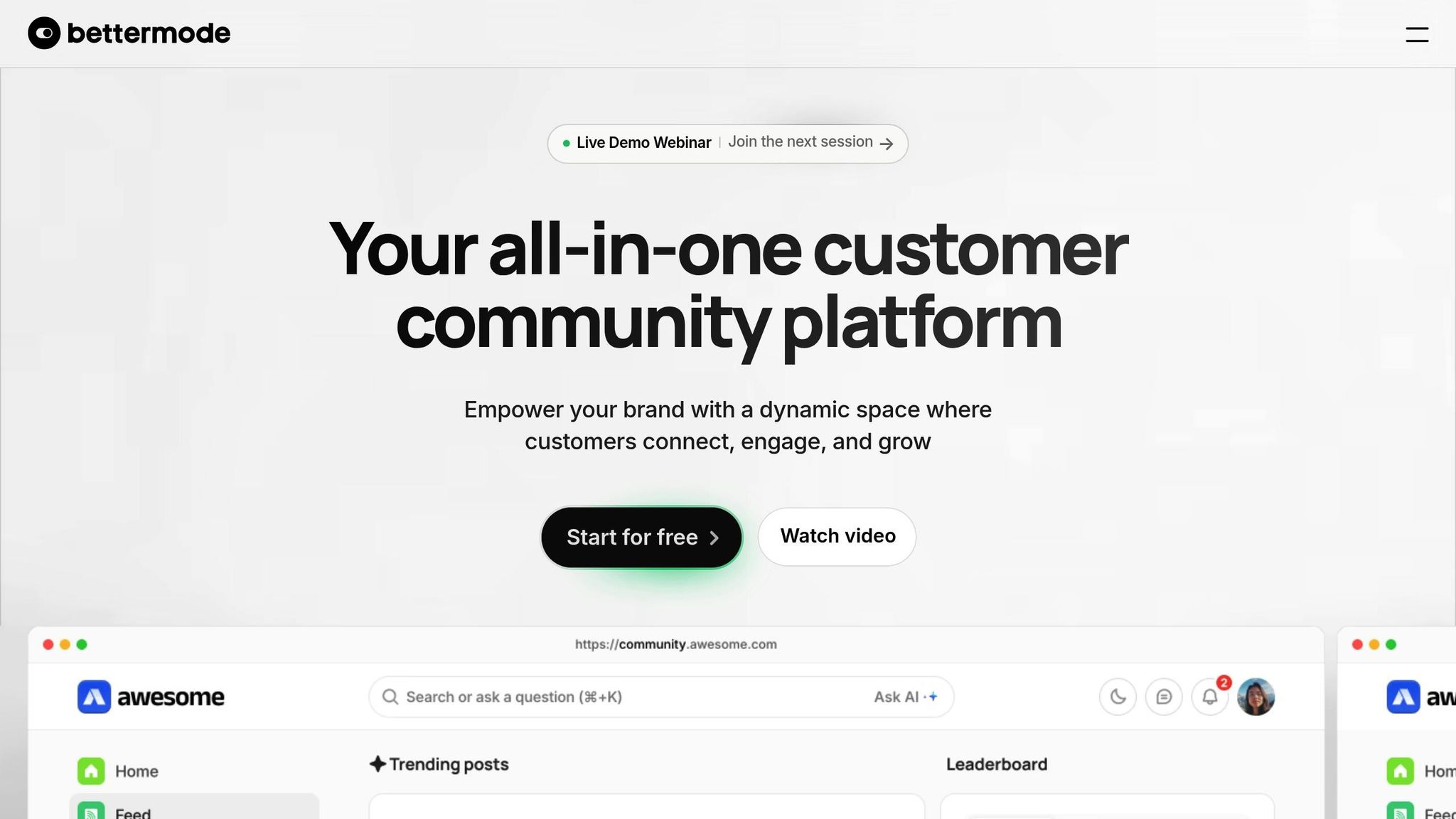
How to build a community platform? Bettermode No Code Tutorial
Conclusion and Key Takeaways
Customising layouts in the SureSpace Community App helps create spaces where users can connect in meaningful ways. By keeping navigation straightforward and intuitive, you make it easier for users to find what they need and actively engage with your community.
Eye-catching layouts and flexible templates play a big role in encouraging participation and preserving that crucial sense of community. Adding personal touches builds trust, while customisable user profiles provide comfort, allow for personal branding, and elevate the overall user experience. These elements work together to encourage authentic connections and meaningful engagement.
For communities in the UAE, cultural localisation is key to earning user trust. Incorporating features like Arabic text support and respecting prayer times transforms a generic platform into one that feels personal and relevant. These thoughtful details show your members that their context and values are understood and respected.
The technical elements we discussed ensure your customised layout performs smoothly across devices, while adhering to accessibility standards. This is essential for creating an inclusive environment where everyone can engage effortlessly.
Start small when applying these insights. Focus on one aspect, such as your navigation or colour scheme, and adjust it based on user feedback. Gradual improvements like these can have a significant impact on your community’s experience.
FAQs
How can I make my community layout accessible for all users, including those using assistive technologies like screen readers?
Creating a community layout that’s easy for everyone to use starts with focusing on simplicity and inclusivity. Start by using semantic HTML elements to structure your content clearly and ensure all interactive elements have descriptive labels. For images, always include alt text so screen readers can effectively relay the content to visually impaired users.
Opt for a straightforward design, like a single-column layout, which is easier to navigate. Make sure clickable areas are large enough to accommodate users with motor impairments. Use clear, intuitive navigation links and organise headings logically to help users move through the layout without confusion. Testing your design with screen readers regularly is key, along with maintaining high contrast between text and background to improve readability. By following these practices, you create a community space that feels welcoming and functional for everyone.
How can I test and improve community layouts using user feedback?
To refine and improve community layouts, begin by gathering structured feedback from users. Use tools like surveys, interviews, or usability tests to pinpoint areas that need attention and ensure the platform meets the needs of its audience.
Follow this up by creating a feedback loop. Regularly analyse user data and make small, iterative updates to the design. Testing these changes with actual users helps keep the platform intuitive, engaging, and aligned with their shifting preferences.
Focusing on user input and making gradual improvements can lead to a more seamless and enjoyable community experience.
How can I design community layouts that resonate with users in the UAE?
To design layouts that genuinely connect with users in the UAE, weave in local cultural elements like Arabic calligraphy, crescents, and traditional patterns. These features not only honour the region’s identity but also create a sense of familiarity and belonging.
Showcasing the UAE’s rich heritage can also make your designs stand out. Think about drawing inspiration from local art, architecture, and design. Incorporating colours and motifs that align with the region’s aesthetic preferences can make your layout feel more relatable and engaging. Additionally, reflecting the UAE’s values, such as hospitality and a strong sense of community, can help create a digital space that feels warm and inclusive.
By aligning your designs with the UAE’s cultural essence, you can foster deeper connections and provide a more meaningful experience for your audience.

